Locations represent your physical stores, pop-ups, or event spaces inside JeriCommerce. You can use GPS locations to run location-based notification campaigns for Apple Wallet and Google Wallet, and manage devices that interact with customers in person.
Shopify Location Sync 
JeriCommerce automatically syncs your locations from Shopify, so you don't need to add them manually.
This is a one-way sync — changes flow from Shopify to JeriCommerce only. If you rename or add a location in Shopify, it will appear in JeriCommerce automatically. Changes made on the JeriCommerce side won't carry over to Shopify.
Once synced, you can use these locations in campaigns or link devices to them. GPS-based locations can trigger nearby notifications on Apple Wallet and Google Wallet.
Custom Locations 
If you have a location that doesn't exist in Shopify — like a pop-up shop or an event booth — you can create it directly in JeriCommerce.
Go to Locations
Open Settings → Locations and devices in the JeriCommerce admin.
Add a new location
Click Create location, enter a name, and choose an address from the search suggestions.
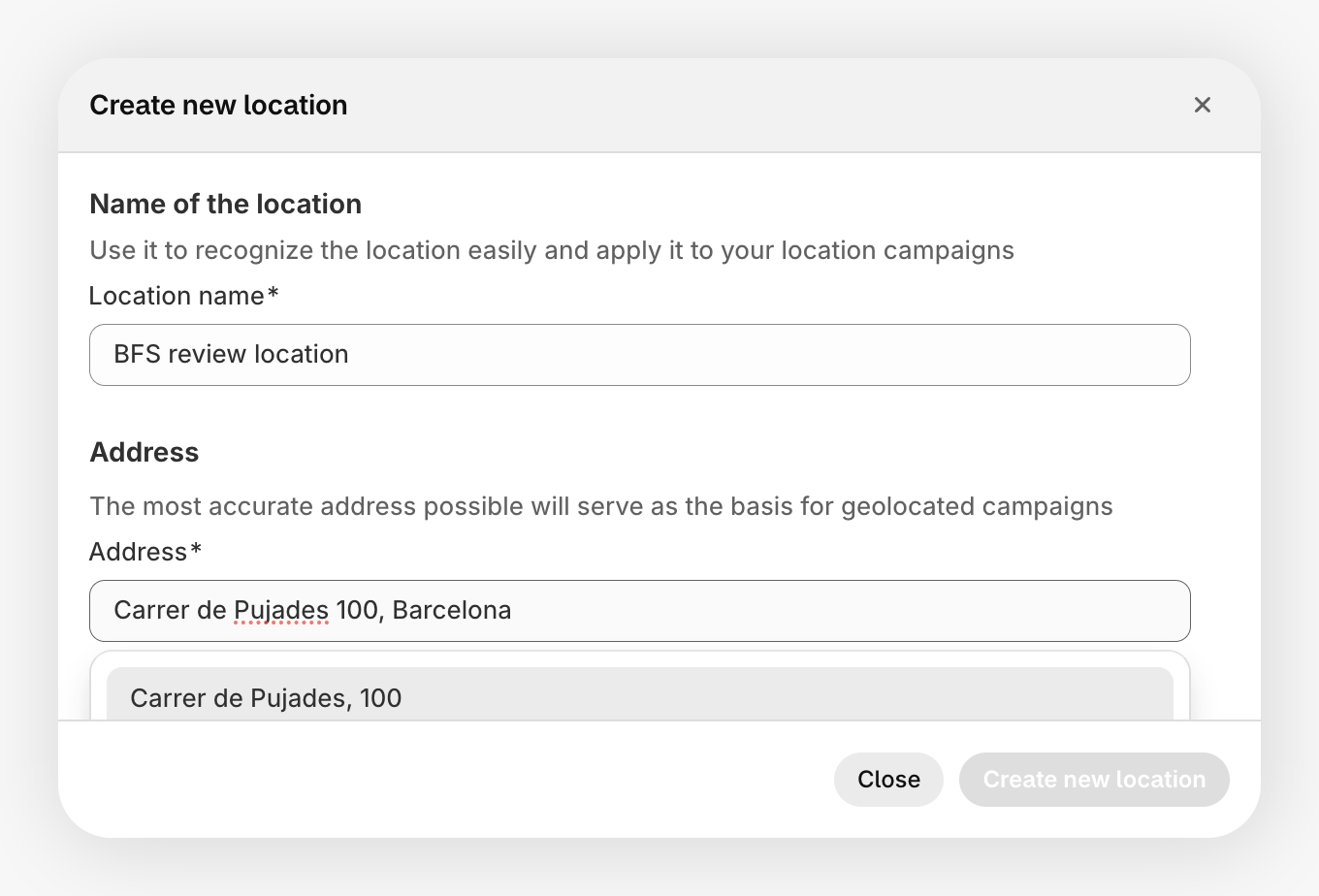
Save
Your new location is ready to use in campaigns and device management.
Custom locations work the same as Shopify-synced locations, with one exception: you can't link a Shopify POS device to a custom location, since POS devices are tied to Shopify locations only.
Devices 
You can link physical devices to your locations to interact with customers in-store.
iBeacon
iBeacons are small Bluetooth transmitters that detect when a customer is nearby. When a customer with your Apple Wallet pass walks into range, JeriCommerce can show a custom on-screen notification on their phone.
Why iBeacons instead of geolocation? Geolocation triggers when a customer is roughly 100 meters away, which can feel too early. iBeacons are more precise because they only activate when the customer is actually inside your store.
iBeacons are Apple-only. Google Wallet supports GPS-based nearby locations, but it does not support iBeacon devices or custom on-screen campaign messages.
When you add an iBeacon device, enter the Name, UUID, and optional Major and Minor values from your beacon provider. The UUID must use the standard 8-4-4-4-12 hexadecimal format. It does not need a particular RFC 4122 version or variant, so valid identifiers from more beacon providers are accepted. Major and Minor values are optional numbers from 0 to 65,535.
NFC Readers
NFC Readers are available on the JeriCommerce Enterprise plan only.
NFC readers let customers tap their phone to identify themselves — similar to tapping a card to pay. This works at the checkout counter, but also opens up other possibilities:
- Earn points on visit — customers tap when they walk in to earn points automatically
- Event check-in — simplify identification at events or activations
- Speed up POS — quickly pull up a customer's profile without searching
Each NFC reader is linked to a location and identified by a reader ID.