Customers browse eligible rewards and redeem them for points. Each reward can have a set point cost or let customers choose how many points to spend.
The built-in rewards system is available when using JeriCommerce's loyalty program. If you use LoyaltyLion, rewards are managed through their platform instead.
Turn On Rewards 
Go to Settings → Integrations → JeriCommerce and turn on the Rewards feature. Once active, Ways to redeem appears in the Loyalty submenu.
Set Up a Reward 
Go to Loyalty > Ways to redeem and click Add redemption option. Choose Fixed reward to set a point cost for a specific benefit, or Points as cash to let customers choose how many points to spend. The type cannot be changed after the option is created.
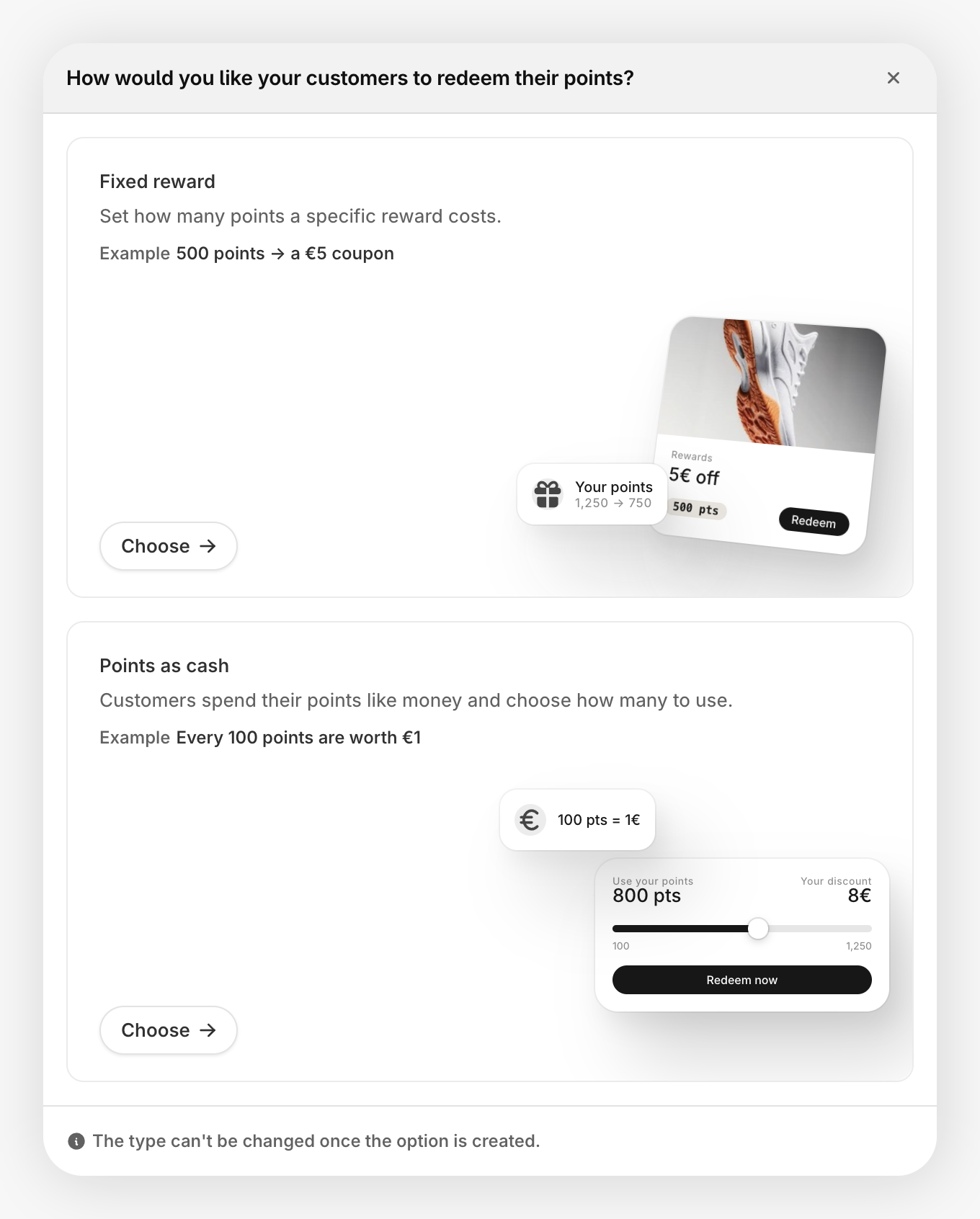
Then set up the reward's point value or cost, usage conditions, discount, image, and customer-facing content:
Image 
Add an optional square image. If you upload an image for one reward, upload images for all of them. A mix of rewards with and without images looks inconsistent.
Content 
Set the title and description that customers see in their rewards list. These fields support multiple languages, with a language picker that appears in the editor once you have more than one language set up.
Reward descriptions support rich text. Formatting is preserved in supported reward emails and displayed cleanly in Loyalty Hub.
Redeem cost 
For a fixed reward, the Redeem cost section contains the Points cost input. Set the number of points the customer pays. JeriCommerce deducts that amount when they redeem it.
Setting the cost to 0 means the customer gets the reward without losing any points. This is useful for welcome rewards or free-tier perks.
Usage Conditions 
Control who can see and redeem the reward:
- Visibility restrictions control whether a customer can see the reward. Set a balance range and use Who can see this reward to choose eligible JeriCommerce segments.
- Redeemability restrictions control whether a customer can claim the reward. Set the maximum redemptions, balance range, and Who can redeem this reward segments independently from visibility.
Both segment selectors default to Everyone. If you choose more than one segment, a customer only needs to belong to one of them.
This lets you keep a reward visible to everyone while reserving redemption for selected groups, such as VIP tiers or recently engaged customers. Customers who can see a reward but do not match its redemption segments see Not available for you. Customers outside its visibility segments do not see the reward.
The reward editor offers built-in JeriCommerce segments. Shopify and Klaviyo segments are not available for reward restrictions.
Associated discounts 
For a fixed reward, link a Shopify discount or upload a CSV batch under Associated discounts. With a pre-generated batch, each redemption claims an available code. You can create a fixed amount, percentage, free shipping, or buy X get Y discount, and apply it to your whole catalog or selected products, as covered in the discounts guide.
You can also upload a CSV file with codes to distribute one per redemption.
You can also create on-demand Shopify codes.
Let customers choose their points 
Setup 
Choose Points as cash when adding the redemption option. Its Points value section includes Value of 100 points (using your program's balance name), Minimum points per redemption, and Maximum points per redemption. The minimum is optional and defaults to 1 point when empty; the maximum is optional and has no limit when empty. The Discount code section requires an on-demand Shopify discount with the Fixed amount discount type. Here, Fixed amount describes the Shopify discount, not a fixed points cost.
Each reward has its own conversion and does not use the fixed reward's Points cost field. For example, a value of 5 EUR per 100 points gives a 15 EUR discount when a customer spends 300 points.
Where available 
Customers can redeem Points as cash in the loyalty web app, Loyalty Hub, Customer Accounts, checkout, and Shopify POS. Redemptions use whole points within the reward limits and the customer's available balance. The discount is calculated from the points chosen and the reward conversion, rounded to two decimal places.
Checkout and POS can also cap points by the cart total. Checkout applies this cap when the checkout and program currencies match. Cart limits use the total, not only eligible items, do not convert currencies, and do not override Shopify discount conditions. Klaviyo Customer Hub does not support this redemption type.
Choosing an amount in the web app 
In the loyalty web app, customers choose a suggested discount amount or tap Customize amount. Before confirming, they can see the points required, the conversion rate, and the balance they will have left. The Redeem button states both the points to spend and the discount to receive.
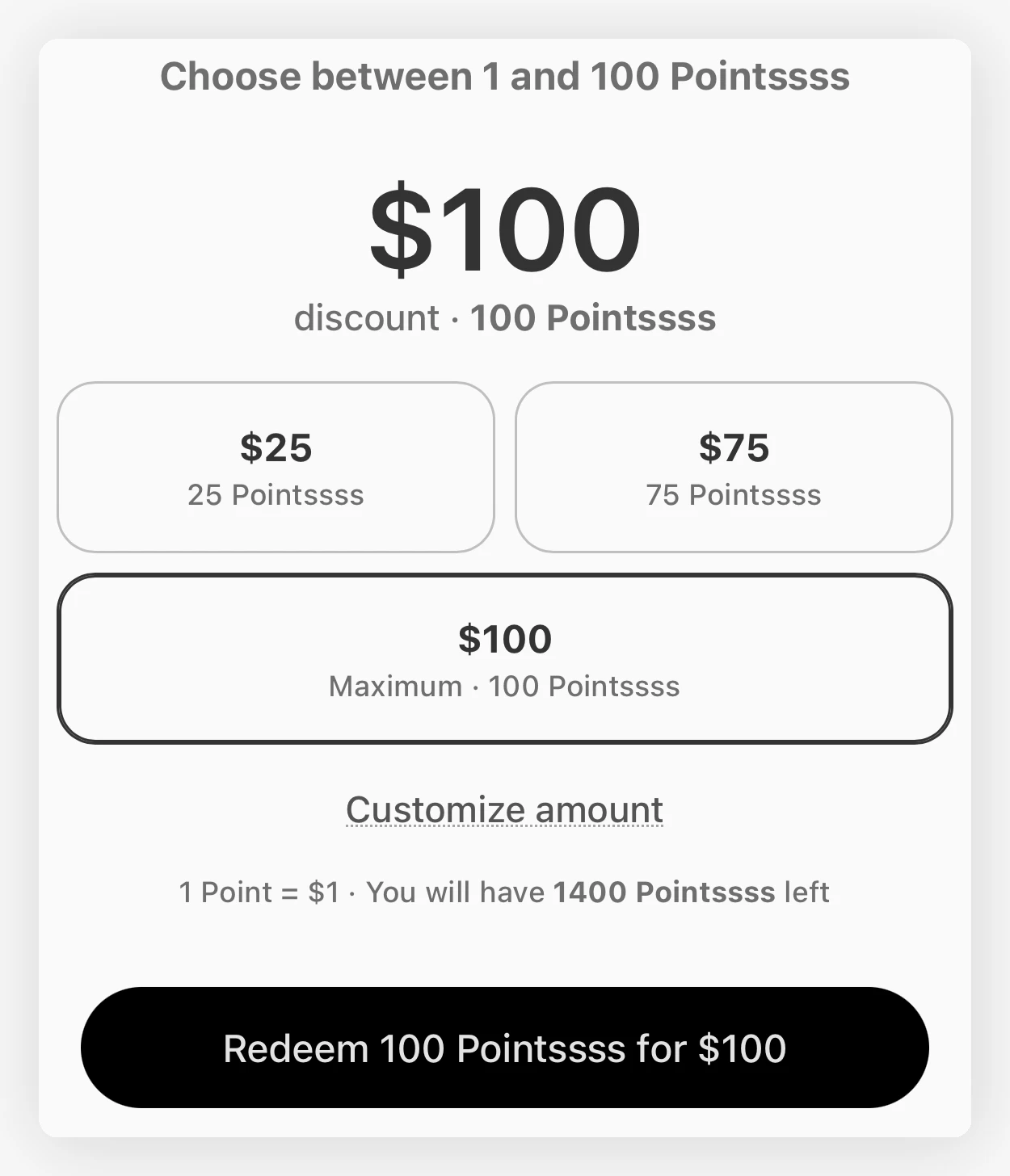
The amounts shown depend on your reward's conversion rate, redemption limits, and the customer's balance. After redemption, the customer receives a discount code, not a cash payout. See the Loyalty Hub example for the code customers can copy or apply in the storefront.
Expiry and refunds 
Choose the code's expiry when setting up on-demand Shopify codes.
If an unused on-demand reward is refunded, JeriCommerce deletes its Shopify discount and returns the points actually spent. A direct reward refund is rejected after the code has been used on an order. Order refunds follow their own points adjustment flow.
Show Rewards to Customers 
Add a link to any section of your loyalty card that opens the rewards page directly. Click the variables icon in the link field and choose Rewards Page.
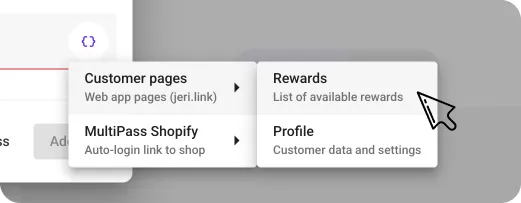
The same variable ({{linkCustomerAppRewards}}) also works in push notification links, which can help drive redemptions from campaigns.