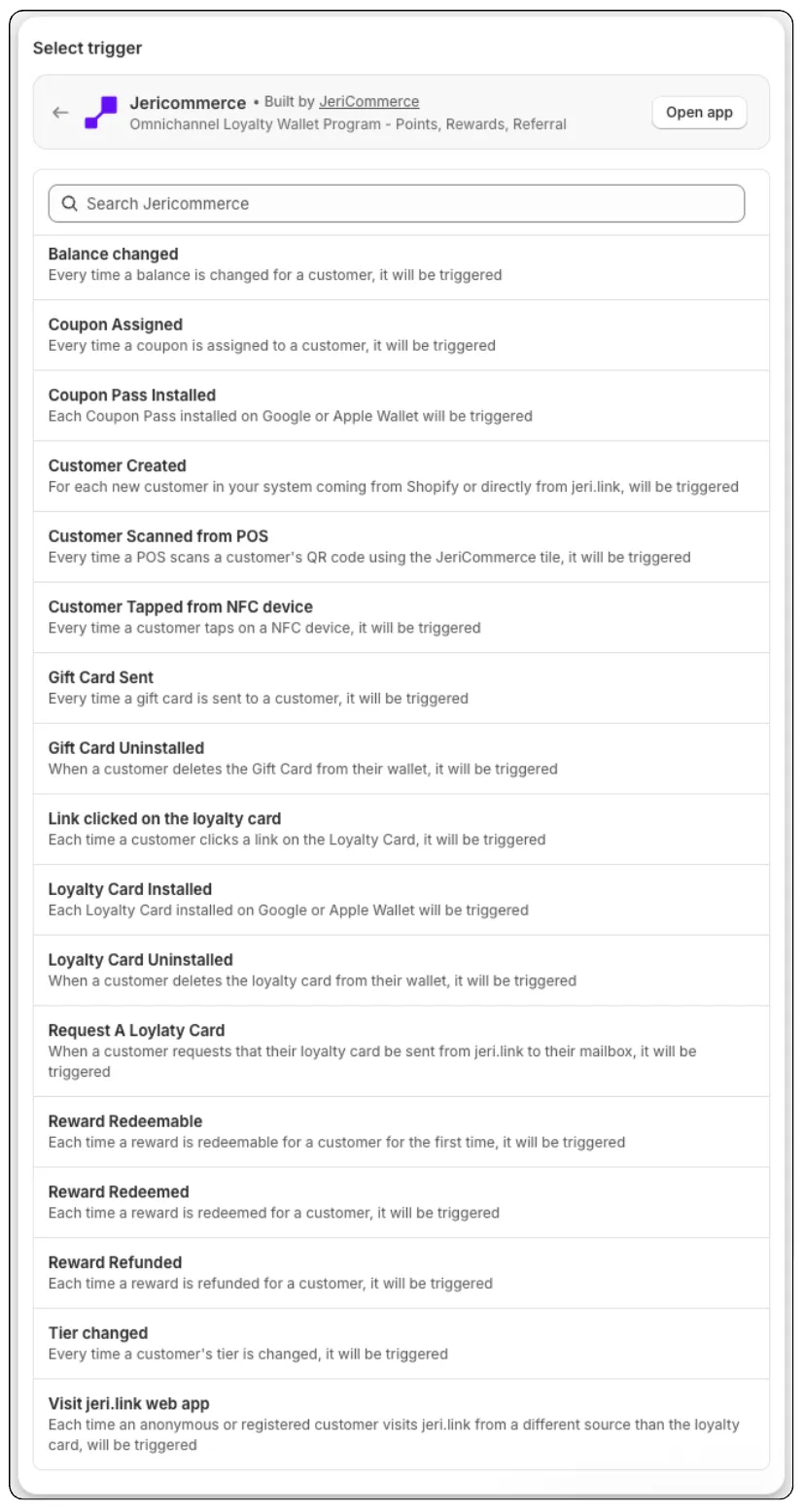
JeriCommerce integrates with Shopify Flow through 18 event triggers and 8 actions. This guide covers the Shopify-specific setup and features. For the full list of events, payload structure, and event properties, see the Events reference guide.
Turn on event triggers 
To receive JeriCommerce events in Shopify Flow:
- Go to Settings → Integrations → Shopify.
- Toggle Events on.
- Save your changes.
From that moment, supported customer events trigger Shopify Flows.
 Toggle the Events feature on in the Shopify integration settings
Flow trigger handles 
Each event appears in Shopify Flow as a trigger with a slugified handle. For example, Balance changed becomes balance-changed, and Wallet pass installed becomes wallet-pass-installed.
For supported Flow triggers, the handle uses the event name in lowercase with hyphens instead of spaces. See the Events reference guide for event details and channel availability.
Trigger payload 
Every trigger sends this data structure to Shopify Flow:
{
  "id": "event-uuid",
  "customerId": "customer-uuid",
  "email": "customer@example.com",
  "campaignId": "campaign-uuid",
  "url": "https://...",
  "browser": "Chrome 120",
  "createdAt": "2026-03-08T12:00:00Z",
  "properties": { ... }
}
Use the properties object inside your Flow conditions and actions to access event-specific data like amount, rewardTitle, or previous/current tier names. See the full properties reference in the Events reference guide.
Available actions 
JeriCommerce provides 8 actions you can use as steps inside any Shopify Flow. No need to activate any feature, they are always available.
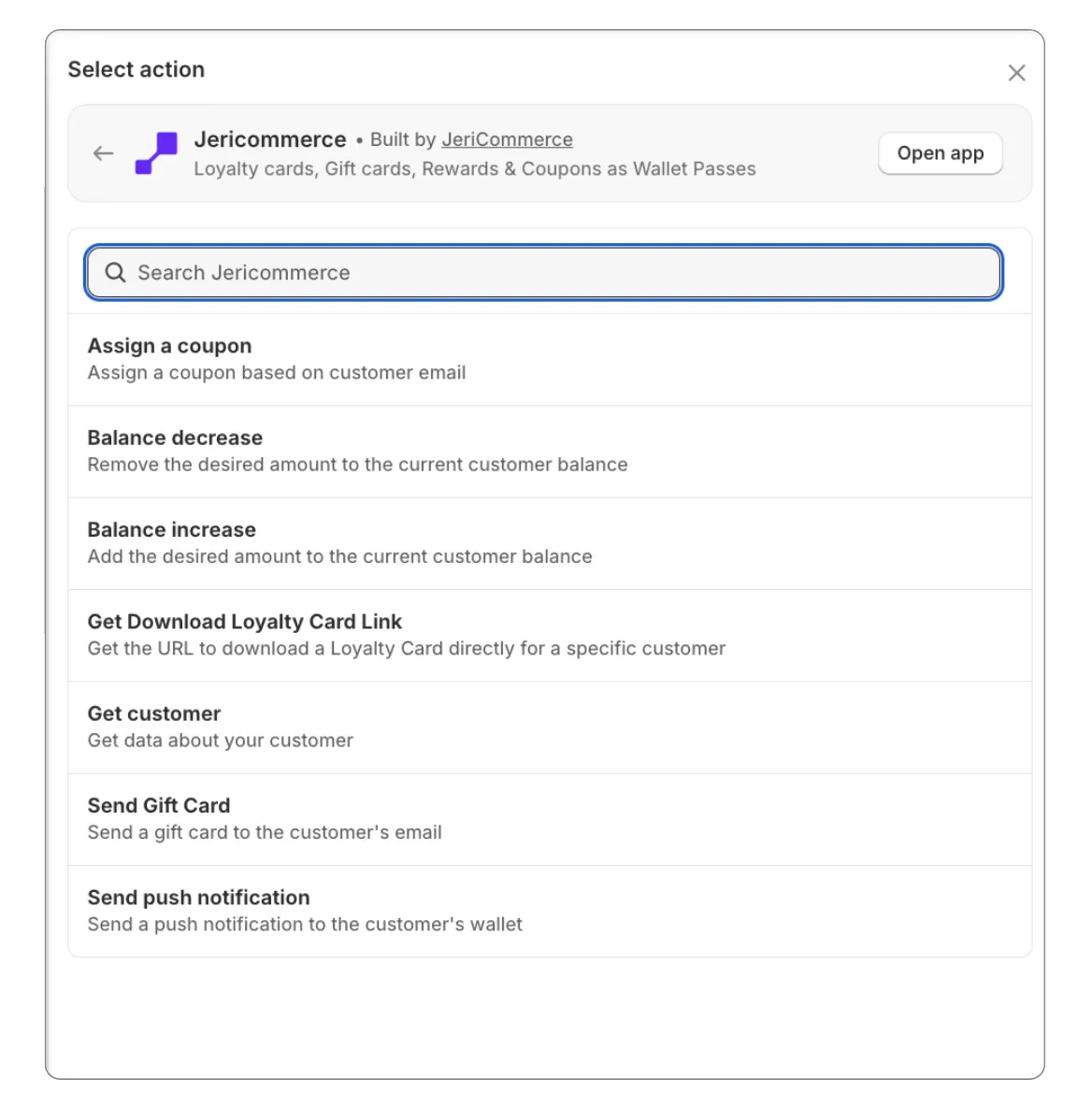
| Action | Handle | What it does |
|---|---|---|
| Send push notification | send-push-notification |
Send a push notification to the customer's loyalty card |
| Get Download Loyalty Card Link | get-download-link |
Return the customer's loyalty card download link to the next steps |
| Balance increase | add-balance |
Add loyalty points to a customer |
| Balance decrease | remove-balance |
Remove loyalty points from a customer |
| Assign a coupon | assign-campaign |
Assign a coupon to a customer using its campaign slug |
| Send Gift Card | send-gift-card |
Send a gift card to an email address |
| Get customer | get-customer |
Return the customer's JeriCommerce data to the next steps |
| Execute earning flow | execute-earning-flow |
Run a custom earning flow for a customer (e.g. CUSTOM_1) and credit the points defined in the flow |
Each action has its own guide in Automations, with the fields to fill in and what happens when it runs. Actions run while the workflow runs, so if one can't be completed, the step fails and Shopify Flow shows the reason in the run history.