The JeriCommerce Loyalty Hub is the recommended Shopify experience for new loyalty implementations. It has two surfaces that work together:
- Storefront hub - A brandable Online Store page that explains the program to guests and becomes a full loyalty experience for logged-in customers.
- Customer account hub - A built-in Shopify New Customer Accounts destination that gives logged-in customers the loyalty hub inside their account area.
Open Customize → Loyalty Hub to choose the storefront or customer account setup.
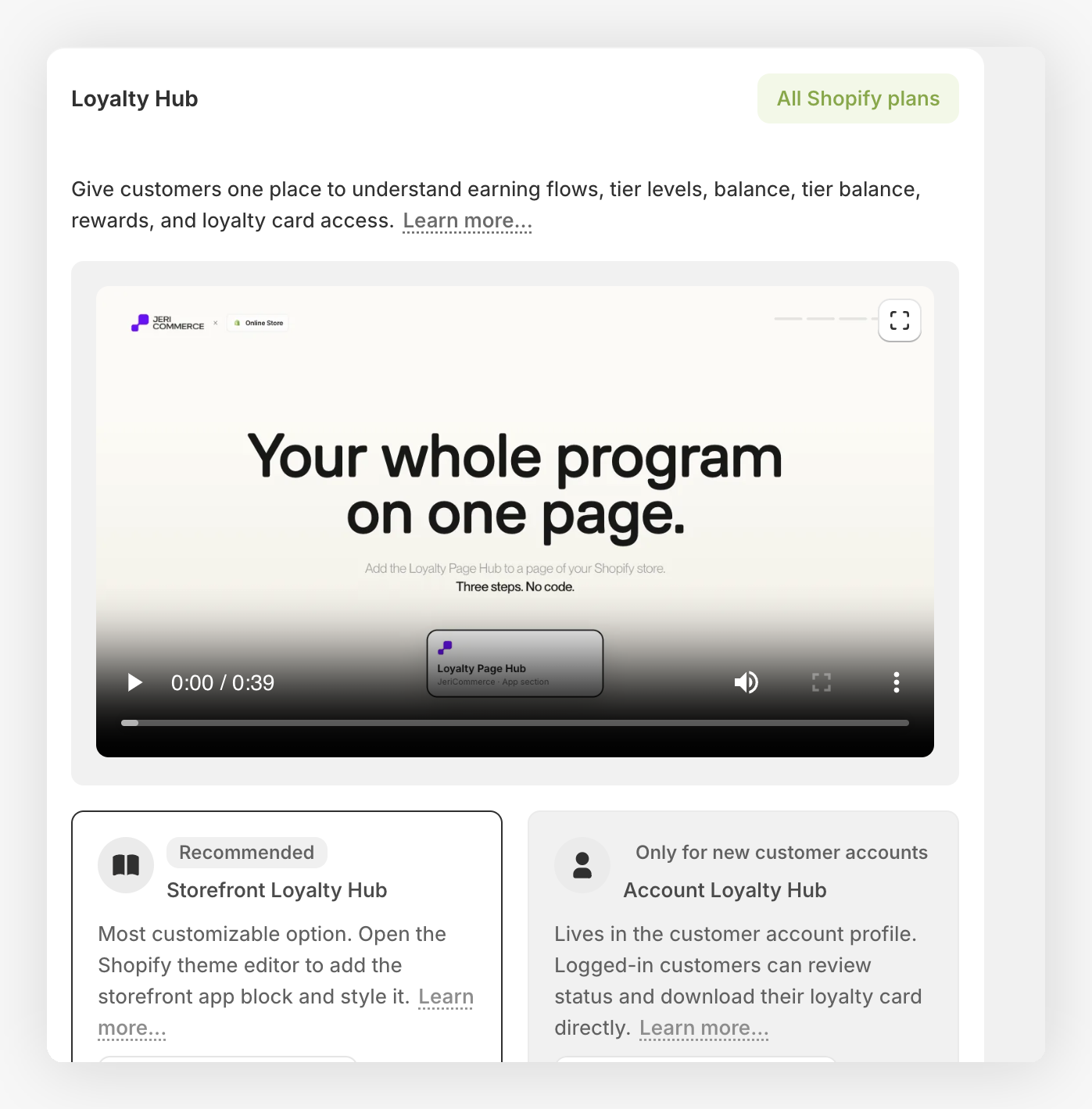
Which Hub Surface to Use 
| Need | Recommended surface | Why |
|---|---|---|
| Public program explanation | Storefront hub | Guests can see earning flows, rewards, and program benefits before they join or log in. |
| Logged-in storefront loyalty actions | Storefront hub | Customers can see their real points, tier points, and tier status, redeem rewards, and complete earning flow actions. |
| Default brand customization | Storefront hub | Merchants can adjust copy, colors, and visible sections exposed in the Shopify theme editor. |
| Account profile placement | Customer account hub | Customers can open the full loyalty hub from Shopify New Customer Accounts without adding separate account extensions. |
Most stores should use both: the storefront hub is the main loyalty destination, and the account hub keeps loyalty actions available inside the customer's account profile.
Recommended Structure 
Use this structure when setting up a new Shopify loyalty experience:
- Create a public storefront hub page.
- Add it to store navigation as "Rewards", "Loyalty", or the merchant's program name.
- Use it as the main loyalty destination for guests and logged-in customers.
- Add the Loyalty Hub link to the Shopify customer account navigation when the store uses New Customer Accounts.
- Add smaller Shopify extensions only when needed for specific placements such as product pages, cart, checkout, or wallet download CTAs.
The cleanest customer journey starts with the storefront hub for discovery and full loyalty actions, then adds the customer account hub link for account-profile access.
Storefront Hub 
The storefront hub is the best place to present the loyalty program in the merchant's own brand style. It belongs in Online Store > Pages and is customized from the Shopify theme editor like any other theme section or app block.
Use it for:
- Program intro and brand story for guests.
- Ways to earn points and available rewards as program explanation for non-logged-in visitors.
- Logged-in customer status, including real points, tier points, and tier status.
- Reward browsing and redemption.
- Earning flow actions customers can complete from the storefront.
- Wallet pass, referral, and other loyalty actions exposed by the hub.
Set It Up 
Create the page
In Shopify, go to Online Store > Pages and create a page for the loyalty program.
Open the theme editor
Go to Online Store > Themes > Customize, open the page template you want to use, and add the JeriCommerce Loyalty Hub app block.
Customize the content
Update the hero title, subtitle, colors, and visible sections. Keep the copy clear for both guests learning about the program and logged-in customers using their loyalty account.
Add it to navigation
Add the page to your store menu so customers can find it from the storefront.
What Customers See 
The storefront hub changes based on whether the visitor is logged in:
| Visitor state | Experience |
|---|---|
| Guest or non-logged-in customer | Program explanation, earning flows, rewards, tiers, and prompts to log in or join. |
| Logged-in customer | Real points, tier points, tier status, reward redemption, earning flow actions, and available loyalty actions. |
This means the storefront hub works as both the public program page and the logged-in loyalty dashboard.
Logged-in customers who redeemed discount codes and haven't used them yet see a reminder above the rewards, such as "You have 2 unused discount codes". When the next unused code expires within seven days, the banner names that code and its expiry date instead. View codes opens the customer's discounts. A code counts as unused until it's used in an order or expires. To hide the reminder, turn off Unused discount codes banner in the block settings.
Recent storefront refinements make the hub easier to scan on live themes. Tier cards show optional tier images, reward and tier sections use smoother carousel behavior, earning rules reveal progressively when there are many actions, and discount buttons use clearer copy when customers redeem or copy a code. Long earning descriptions wrap within their cards, reward descriptions display as readable text, and Loyalty Hub banner images keep their natural proportions instead of being forced into a fixed crop.
When a boost campaign is active, the storefront hub shows the promotion, its end time, and factor labels on affected earning actions. Customers see boosted points and tier points wherever the active campaign applies.
Redeem Points as Cash 
The storefront and account hubs support Points as cash rewards. In the storefront hub, logged-in customers see their balance under Your points. When a Points as cash reward is available, this card also shows how much discount they can redeem and a Redeem button.
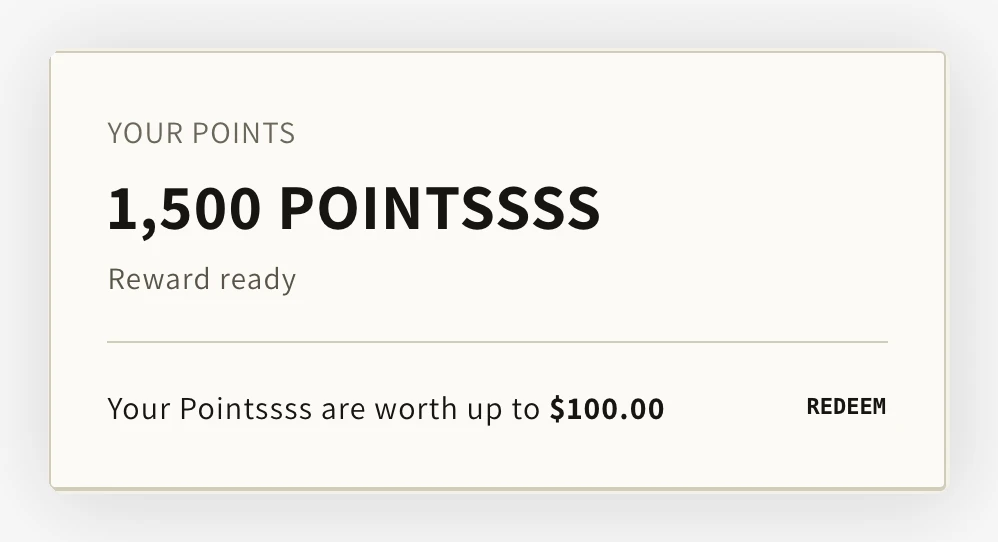
Customers click Redeem to choose an amount and confirm the points they want to spend. Once redeemed, the reward displays the discount value and code. Customers can copy the code or click Apply discount.
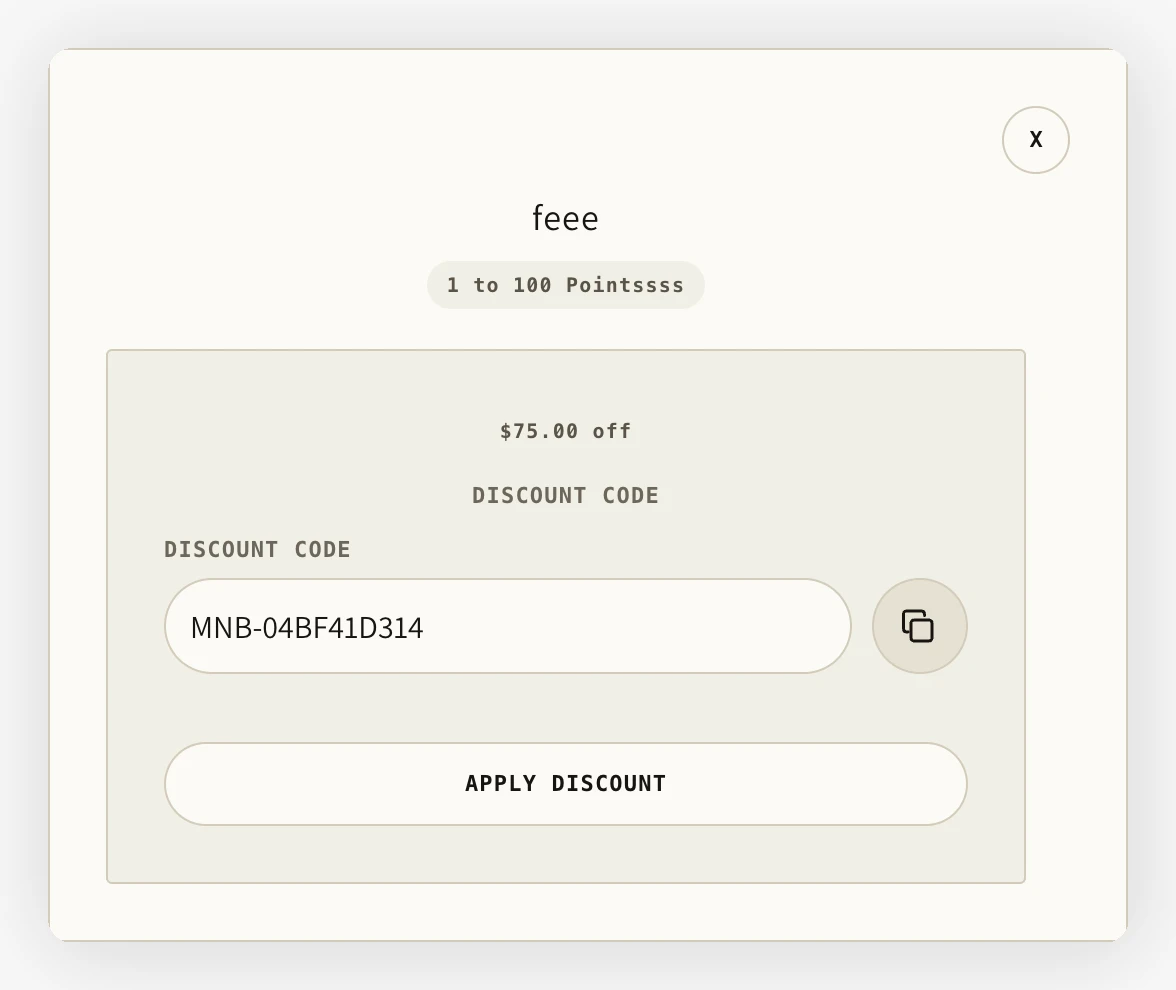
Neither hub has cart context to cap the redemption by cart contents. Shopify discount conditions still apply. Redeemed codes and any expiry appear with the customer's discounts.
Customer Account Hub 
The customer account hub lives inside Shopify New Customer Accounts. It is a single JeriCommerce destination that includes the loyalty experience inside the customer's account area.
The customer account hub requires Shopify New Customer Accounts. If a store still uses Classic Customer Accounts, use the storefront hub as the main loyalty destination until the account experience is upgraded.
Active boost campaigns also appear in the customer account hub. The hero area shows the promotion and end time, while affected earning actions and tier points show their active factors.
The customer account hub keeps hero artwork in a proportioned frame, so banners remain visible without oversized blank space. On larger screens, the hero sits beside the points and tier cards. These cards stack on smaller screens.
Add It to Account Navigation 
Open menus
From Shopify admin, go to Content > Menus.
Select the customer account menu
Open Customer account main menu.
Add a menu item
Click Add menu item.
Enter the label
Use a label such as "Loyalty", "Rewards", or the merchant's program name.
Choose the JeriCommerce app link
In Search or paste link, choose Apps > Loyalty Hub (JeriCommerce).
Save
Save the menu, then open a test customer account and confirm the link appears in the account navigation.
Storefront Hub Customization 
The default storefront hub is designed to be customized from the Shopify theme editor. This section applies only to the storefront hub, not the customer account hub.
Use the storefront hub block settings for the changes most merchants need:
| Setting area | What to customize |
|---|---|
| Content | Hero title, subtitle, and text exposed by the block settings. |
| Sections | Show or hide how-it-works content, earning rules, VIP tiers, and the Unused discount codes banner. |
| Colors | Match the hub to the store's primary, contrast, secondary, text, and muted colors. |
Find the right customization 
Use the visual area that matches the change you want to make. Each row points to the public tokens that control that part of the storefront hub.
| If you want to change... | Start with these tokens |
|---|---|
| Page background, width, or spacing | --hub-color-page-bg, --hub-max-width, --hub-page-*, --hub-section-gap |
| Hero layout, image, or title wrapping | --hub-hero-*, --hub-copy-max-width, --hub-media-aspect-ratio, --hub-color-hero-* |
| Cards, borders, corners, or shadows | --hub-card-*, --hub-media-radius, --hub-shadow-* |
| Buttons, pills, or accent contrast | --hub-button-*, --hub-pill-radius, --hub-color-accent*, --hub-color-on-accent* |
| Rewards or earning-flow grids | --hub-rewards-columns-*, --hub-earn-columns-*, --hub-earn-row-height |
| Tier cards or tier rails | --hub-tier-*, --hub-reward-carousel-* |
| Modals, discounts, or copy controls | --hub-modal-*, --hub-color-modal-*, --hub-discount-list-gap, --hub-color-copy-button-* |
| Wallet preview and wallet buttons | --hub-wallet-* |
| Headings, body text, or labels | --hub-font-*, --hub-heading-*, --hub-label-* |
| Hover, reveal, or modal movement | --hub-motion-* |
Download the Storefront Hub CSS reference, then copy it into the storefront hub Custom CSS field and edit only the values you want to change. The file contains public --hub-* tokens only.
For example, this changes the page background, heading font, and hero title width:
.jeri-loyalty-hub {
    --hub-color-page-bg: #faf7f2;
    --hub-font-heading-family: "Your Font", sans-serif;
    --hub-hero-title-max-width: 18ch;
}
If a color or font is already set in the block editor, clear that setting before overriding it with CSS. The editor value is applied inline. If you need to keep the editor value, add !important to the custom property override.
The reference file does not include internal aliases such as --ink, --font-display, or --type-display-size. Those variables appear in the compiled stylesheet for component compatibility. They are not the recommended customization API. Names such as --hub-color-page and --hub-font-heading are not current tokens. Use --hub-color-page-bg and --hub-font-heading-family instead.
For fully custom storefront HTML, CSS, section order, earning rows, or tier cards, build your own page with the Storefront SDK instead of the default hub setup.