With pre-generated codes, each customer gets their own code. That helps prevent a discount spreading across forums and messaging apps, but it also means you need enough codes in stock to cover demand. Auto recharge can replenish eligible Shopify batches.

How Recharging Works 
When 75% of the codes in a pre-generated batch have been claimed, JeriCommerce generates a fresh batch of the same size in Shopify and adds it to the pool. This happens in the background and repeats for as long as the discount is in use.
The 25% still in stock is deliberate breathing room. Generating codes in Shopify takes time, especially for large batches, so the recharge starts well before you actually run out.
Auto recharge is only available for pre-generated Shopify discount batches. Codes you uploaded from a CSV cannot be recharged, because JeriCommerce has no way to create more of them.
On-demand Shopify codes 
On-demand Shopify codes are created when a reward is redeemed or a coupon is assigned. See on-demand Shopify codes for eligibility and expiry details.
Choosing a Batch Size 
You can generate anywhere from 1 to 100,000 codes at a time. The right number depends on how fast you expect codes to go out.
| Situation | Suggested batch |
|---|---|
| Testing a new reward | 5 to 50 |
| A steady trickle, like a code per loyalty card install | 100 to 500 |
| A push notification campaign to your whole list | 5,000 or more |
The thing to plan for is speed, not total volume. A slow trickle gives the recharge plenty of time to keep up, so a small batch is fine. A campaign that lands in thousands of inboxes at once can burn through a small batch faster than Shopify can generate the next one, which leaves customers looking at an unavailable reward.
When in doubt, size the first batch to cover the busiest day you expect and let auto recharge handle the rest.
Turning Recharging Off 
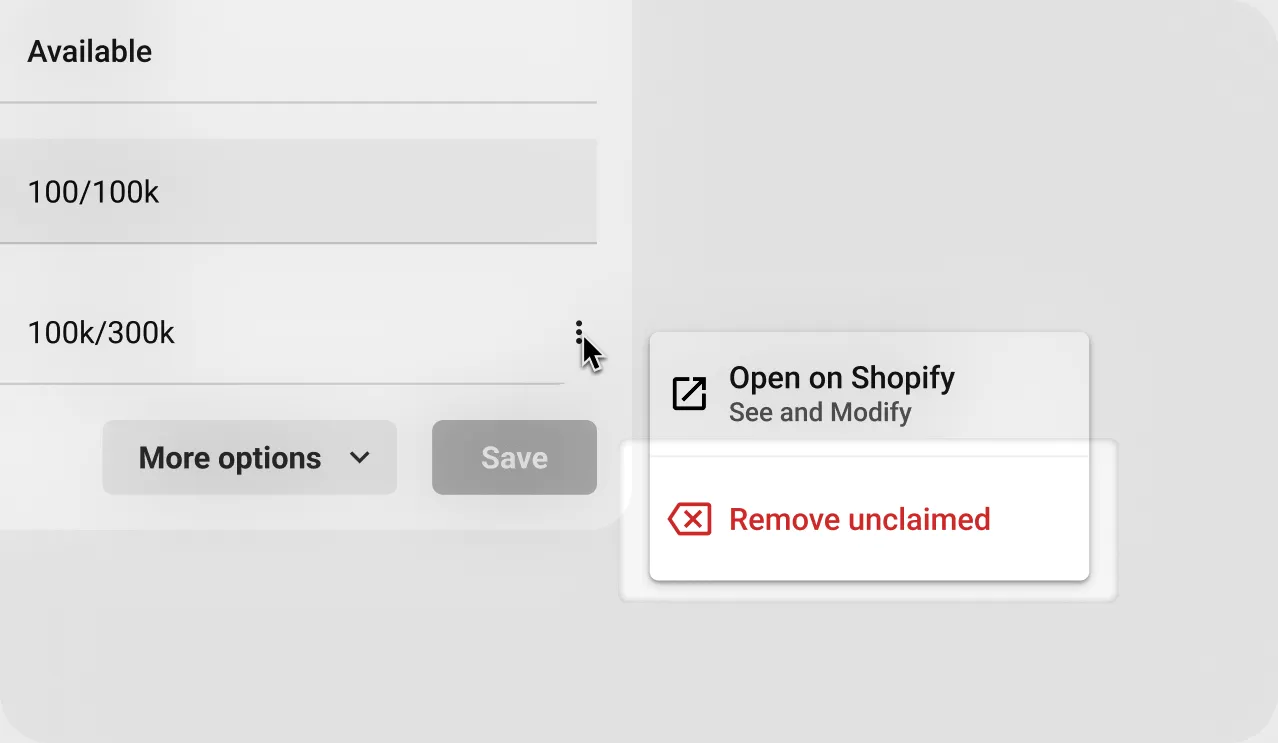
Auto recharge stays on until you stop it. To stop it, click the three dots on the most recent batch and choose Remove unclaimed. JeriCommerce asks you to confirm, then clears the unused codes and switches recharging off for that discount.
For some setups auto recharge is switched on by default and cannot be changed, so that the reward or coupon never breaks for your customers.