Not every code comes from Shopify. Partner promotions, hotel night vouchers, cinema tickets, and third-party platforms all generate their own codes. Upload them as a CSV file and JeriCommerce hands them out one at a time as a pre-generated batch.
You will find the option in the discount section of any reward, coupon, or gift card campaign. If the section has no codes yet, click Upload from CSV. If it already has codes, open Add unique codes → Upload from CSV. Both take you to Import unique codes.
Prepare Your File 
Your CSV needs one column holding the codes, one code per row. Anything else in the file can stay where it is, so you can upload an export straight from your partner without cleaning it up first.
If your codes expire on different dates, add a column with those dates. You will be able to map it during upload.
code,valid_until,partner
SPA-1870-CK,2027-06-30,Ruta Gastronomica
SPA-5868-HB,2027-06-30,Monte Verde Hotel
SPA-8608-UM,2027-01-15,Monte Verde Hotel
SPA-4317-BK,2027-03-31,Monte Verde Hotel
To see how it works before touching your real codes, download our sample file and upload that. It holds 25 made-up codes with expiry dates, plus a third column you can leave unmapped to see how extra columns are skipped.
A file can hold up to 100,000 rows. Columns can be separated by a comma, a semicolon, a tab, or a pipe.
Upload and Map the Columns 
Choose the file
Drag your CSV in, or browse for it. JeriCommerce shows you the first few rows so you can check it read the file correctly.
Say whether the file has a header
Leave The file has a header turned on if your first row holds column names rather than a real code. It is on by default.
Tell JeriCommerce which column is which
Under each column there is a Map value dropdown. Set the one holding your codes to Unique code, and if you included expiry dates, set that column to Expiration date. Leave any other column unmapped and it will be skipped.
Describe the discount
Choose whether the codes are a fixed amount or a percentage, and enter the value. This is what customers see when the code is presented to them, so it should match whatever the codes actually do.

JeriCommerce cannot check that your codes work, since they belong to another system. Test one yourself before sending the batch to customers.
Shopify on-demand codes 
CSV uploads are pre-generated code batches. For Shopify on-demand generation options, see on-demand Shopify codes.
If a code in your file was already imported on another coupon, it is skipped rather than duplicated, so the batch may end up slightly smaller than your file.
How Codes Are Handed Out 
Codes go out in the order you uploaded them, oldest first. Each customer gets one, and no code is ever given twice.
You can upload more files at any time. New codes queue up behind the ones already waiting, so a reward can run continuously across several uploads.
Uploaded codes have no auto recharge, because JeriCommerce has no way to create more of them. When the last code is claimed, the reward, coupon, or campaign is deactivated until you upload another file. Keep an eye on the remaining count.
Removing Codes You No Longer Want 
Click the three dots on an upload and choose Remove unclaimed to pull back every code nobody has taken yet.
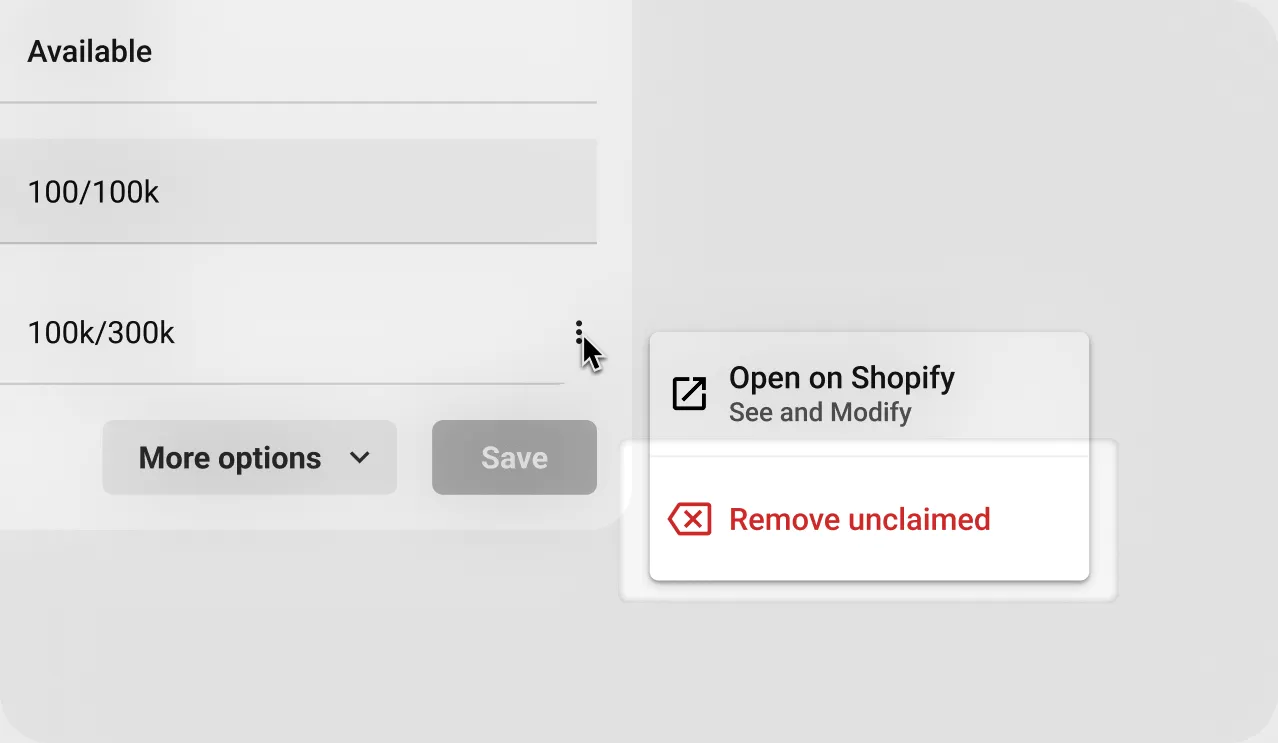
Codes already handed to customers stay valid. If a partner promotion ends early, remove the unclaimed codes and let the ones already in circulation run their course.