For programs with periodic tier cycles (calendar year or anniversary date), JeriCommerce performs an automatic recalculation process. Recalculation is a scheduled review that evaluates customer tier status based on their activity during the cycle period and resets the tracking for the next cycle. This ensures customers maintain appropriate tier levels based on recent activity.
When Does Recalculation Happen? 
Recalculation occurs on each customer's specific recalculation date, which is set based on your loyalty program's cycle type configuration:
- Anniversary date: Recalculation follows the anniversary of the customer's signup.
- Calendar year: Recalculation happens at the end of each calendar year.
- Lifetime: Tiers never reset automatically.
The system runs a daily job to process all customers whose recalculation date is today.
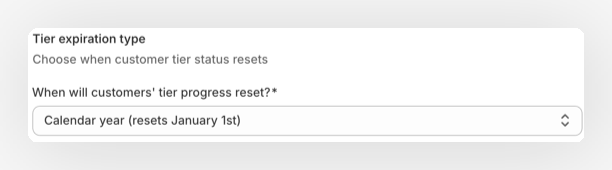
Tiers remain inactive until you create a tier program. During setup, choose Calendar year, Anniversary date, or Lifetime for its reset cycle.
Recalculation After Settings Changes 
Changing tier thresholds, tier factors, or JeriCommerce loyalty settings triggers a recalculation for affected customers. JeriCommerce rebuilds each customer's tier points from the history that belongs to their current cycle:
- Calendar year uses activity from January 1 of the current year.
- Anniversary date uses activity from the customer's latest signup anniversary.
- Lifetime uses all recorded activity.
This keeps existing progress intact when you adjust tier settings. Activity from before the current Calendar year or Anniversary date cycle does not count toward the rebuilt total.
When a tier factor changes, JeriCommerce replays the current cycle with the new factor. This updates tier points without changing the customer's existing balance. If the factor scope includes points, future point grants use the factor as well.
Understanding the Recalculation Process 
Recalculation determines if a customer maintains or changes their status for the upcoming year by using the points accumulated during the previous cycle (Carry Tier Points).
Recalculation Steps 
- Points Are Locked In: The customer's official tier points (Current Tier Points) become the value of their Carry Tier Points from the previous cycle.
- Carry Points Reset: The Carry Points then reset to 0, ready for the new cycle.
- Tier Status Check: The system checks if the new Current Tier Points (copied from Carry) still qualify the customer for their previous tier. The customer is placed in the highest tier for which they qualify.
- Tier Change/Notification: If the tier status changes (up or down), a notification is sent. If the tier is maintained, no notification is sent.
- Reset for Next Cycle: A new recalculation date is set for the following year.
| Status | Before Recalculation (End of Year 1) | After Recalculation (Start of Year 2) |
|---|---|---|
| Current Tier | Gold | Silver (Downgraded) |
| Current Tier Points | 8,000 | 3,000 (Copied from Carry) |
| Carry Tier Points | 3,000 | 0 (Starting fresh) |
- Scenario: Mike was Gold before the review (needs 5,000 points). His Carry Points were 3,000.
- Result: With only 3,000 locked-in points, he now qualifies only for Silver (needs 1,000 points).
- Notification: The tier changes from Gold to Silver, and a notification is sent.
Next Guide: To fully understand the difference between the tracking numbers referenced above, please see Tier Key Concepts: Current vs. Carry Points.