Use this setup when you want a clear promise such as: Spend €100 → earn 5 points → unlock €5 off.
The setup has two parts: an earning flow that adds points after a purchase, and a reward that spends those points.
Before starting, enable Loyalty and Rewards in Settings > Integrations > JeriCommerce. If Rewards is off, the Ways to redeem menu and the reward editor are not available.
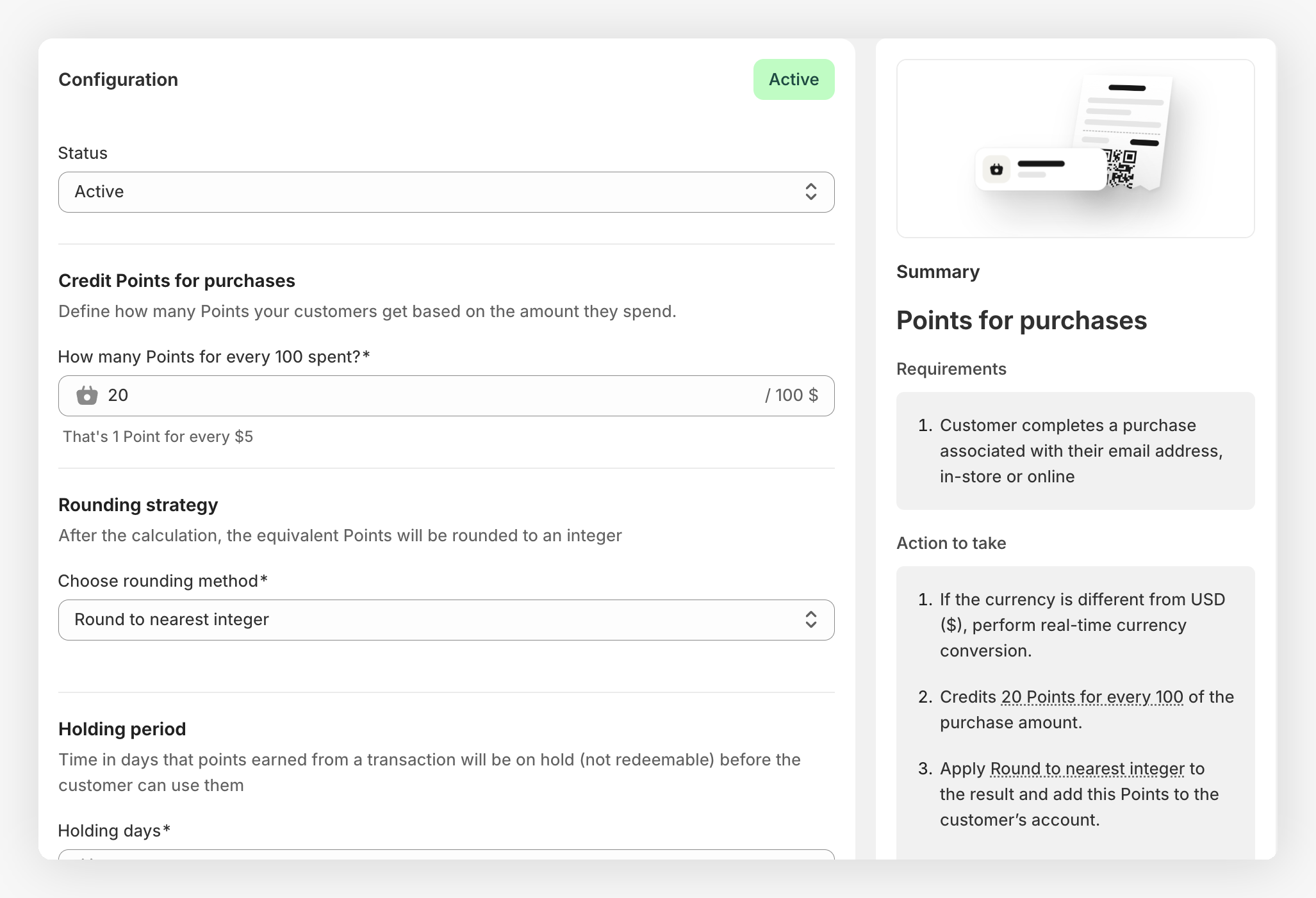
Choose the numbers
Write down the amount customers should spend, the points they should earn, and the reward value. For example, with a 5% purchase ratio, a €100 order earns 5 points; create a 5-point reward worth €5 off.
This is a ratio, not a rule that requires one order of exactly €100. Smaller orders can earn fractional points before rounding, and customers can reach the reward through several purchases.
Check the margin before publishing. The purchase points guide explains how the ratio and point value work together.
Activate purchase points
Go to Loyalty > Ways to earn > Points for purchases. Set the purchase ratio and rounding rule, then save the flow.
If returns are common in your business, add a holding period so points are not spendable during the return window.
Create the reward
Go to Loyalty > Ways to redeem, click Add redemption option, and choose Fixed reward. Add a customer-facing name such as €5 off and set the redeem cost to the number of points from your example.
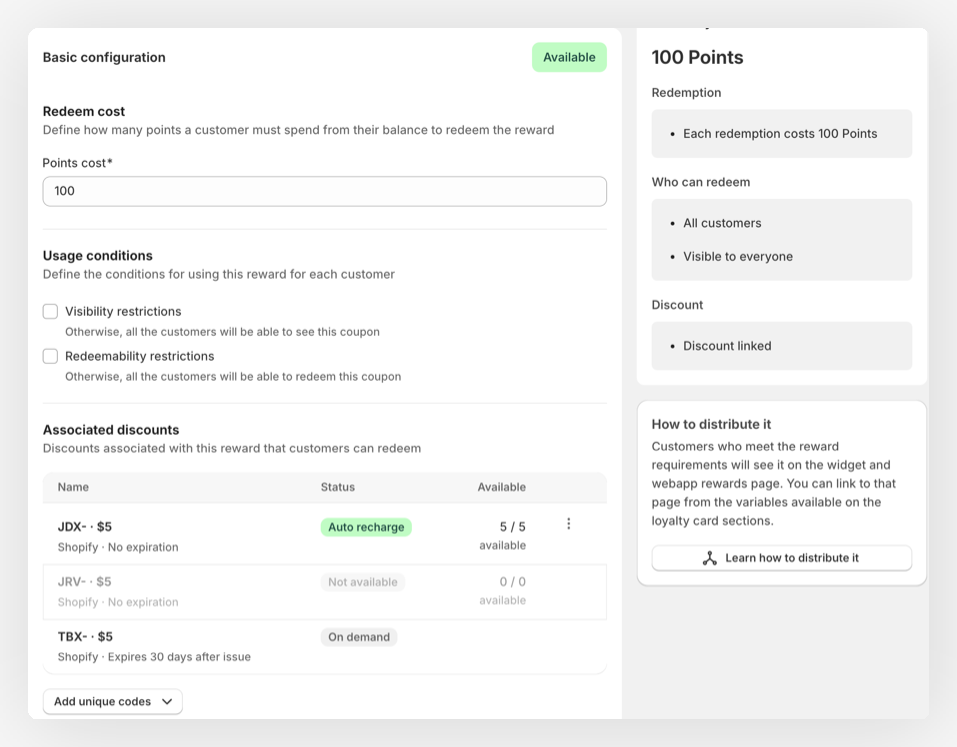
Attach the discount
In Associated discounts, choose Shopify and create a Fixed amount discount. Enter the reward value, choose the products or collections it applies to, and set the minimum order if needed.
Use the Shopify discount walkthrough if you need help with the code batch or auto recharge.
Show the reward
Make the reward available in the Shopify Loyalty Hub and add a rewards link to the back of the loyalty card.
Test the full journey
Place a small test order with a staff account. Confirm that points appear on hold immediately. After the configured holding period, check that they become spendable, the reward becomes redeemable, the code applies in Shopify, and the balance decreases after redemption.
The program is ready when a customer can understand the offer, earn points, find the reward, and use it without staff intervention.
Keep the reward rules and the Shopify discount rules aligned. If the reward can be claimed but its discount excludes the customer's cart, the customer may spend points on a code that fails at checkout.
This is a cumulative points setup: customers can reach the threshold through several orders, not only one €100 purchase. If the reward must require a minimum order value, add that rule to the Shopify discount as well.